
Everything new in Instagram Insights for 2026. The redesigned dashboard, share rate, skip rate, views over time, and what's actually changed for creators.
Automate Comments and DMs in 5 Minutes
Someone comments on your IG post. They get a DM instantly. You do nothing.

Trusted by 10K+ creators and SMBs


TL;DR
TL;DR
Instagram just rolled out one of its most powerful Instagram Insights updates to date, and it could completely change how creators, influencers, and brands track growth.
For years, Instagram Insights felt limited. They told you if a post performed well, but not why. With the latest update, the platform has added granular, post-level metrics that give you a crystal-clear view of what drives engagement, when your audience is most active, and which posts actually bring in new followers.
Let’s break down what’s new, why it matters, and how to use it.
Insights tell you what happened. Inrō helps you act on it.
Turn engagement data into automated DM conversations that capture every warm lead.
Instagram Insights is Instagram's built-in analytics tool, free for all Creator and Business accounts. It shows data on reach, impressions, engagement, audience demographics, and content performance.
If you're asking "are Instagram Insights free?" — yes, completely free, but only on public Creator or Business accounts.
If you're asking "are Instagram Insights accurate?" — generally yes. The numbers reflect real interactions and activity, with minor discrepancies that resolve within 24 hours.
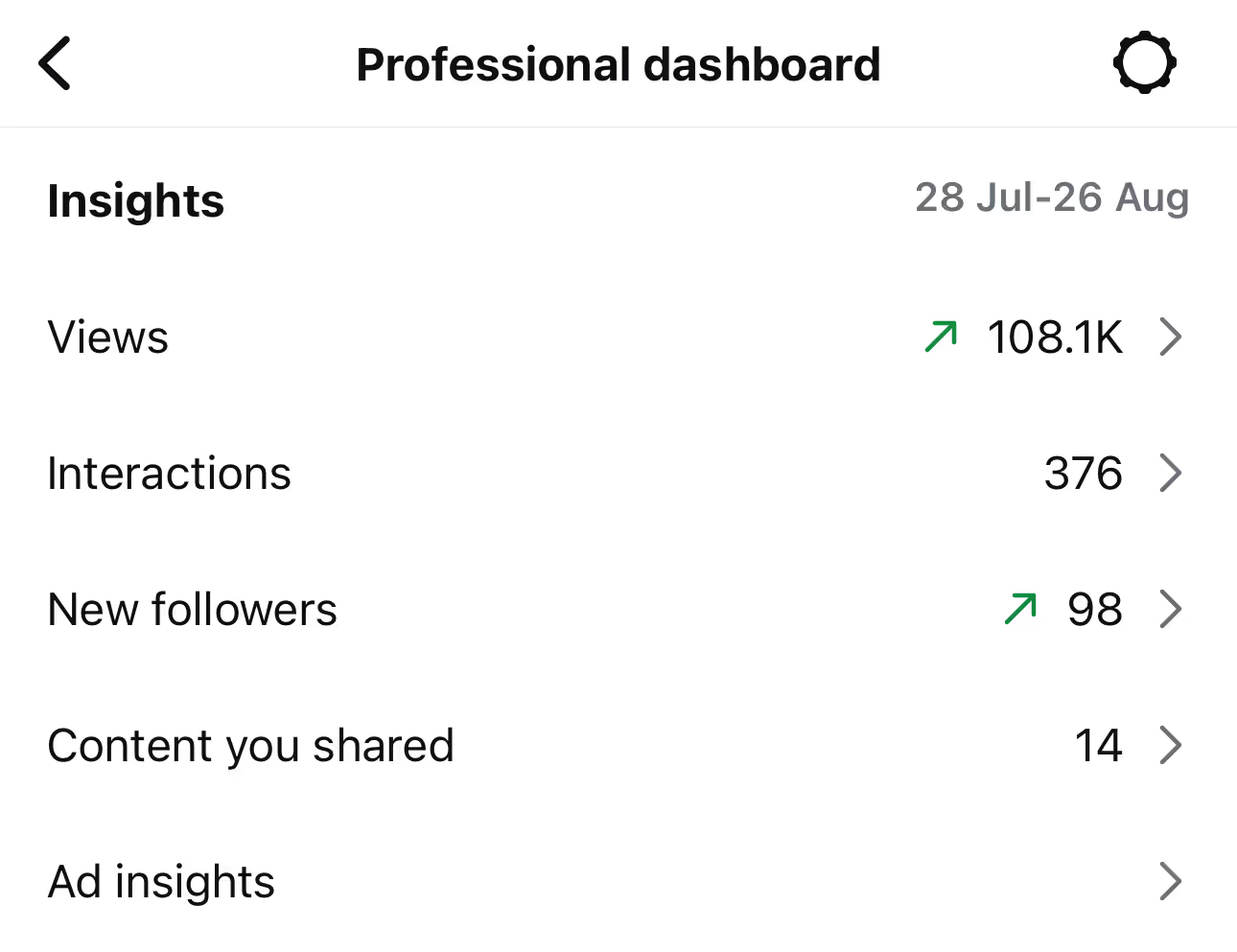
Instagram rolled out the biggest Insights overhaul in years. The redesigned dashboard mirrors the layout used in the Edits app and prioritises clarity over density. Here's what changed.
Insights is now organised into three dedicated tabs:
The previous single-page layout has been retired. This is the most visible change creators notice when opening Insights for the first time after the update.
.avif)
Two new metrics now appear prominently in the Engagement tab.
Share rate measures how often your content is shared. Adam Mosseri has publicly called shares the most important engagement signal in 2026 because they represent active recommendation, not passive consumption. A high share rate signals content the algorithm should distribute further.
Skip rate measures when viewers swipe away from your Reels and how quickly. This is critical feedback for hook performance. If your skip rate is concentrated in the first 2-3 seconds, your hook isn't working — try a stronger visual or a more direct opening line.
Instagram now shows how a piece of content performs over weeks or months, not just the first 24 hours. This matters because the algorithm increasingly resurfaces older content, and creators can now see which posts have ongoing reach versus which ones spike and disappear.
"Evergreen" content — posts that continue earning views for 30+ days — is now visible as a distinct category in your data. This rewards creators who build content with longer shelf life over those chasing only short-term virality.
The Audience tab surfaces when your followers are most active in your specific time zone, with more granular hour-by-hour breakdowns than previous versions. This is useful for posting schedule optimisation, though Instagram still recommends consistency over precision timing.
Short answer: No. Instagram has not added a "who viewed your profile" feature in 2026, and there is no public roadmap suggesting one is coming.
What Instagram Insights actually shows about profile traffic:
Instagram has been clear that individual profile view data is intentionally not exposed. This is a privacy decision, not a technical limitation.
Third-party apps that claim to show "who viewed your profile" are either fabricating data or violating Instagram's terms of service. Using them risks your account.
The closest you can get to identifying interested viewers is through Story viewer lists (which you can already see) and through engagement patterns — accounts that consistently appear in your Story viewers, like recent posts, and visit your profile frequently are signalling interest. None of this is exposed as "profile viewers" data.
No, Instagram Insights are not available for personal accounts. This has not changed in 2026, despite multiple rumours suggesting it would.
To access Instagram Insights, you need either:
Both account types are free to switch to. The switch happens in your profile settings under "Account type and tools" and takes effect immediately.
Some basic Professional Dashboard tools have been opened to all public accounts in 2026 (including content scheduling and trending audio), but full Insights access still requires the account type switch.
If you switched your account type and Insights still isn't appearing, it can take up to 24 hours to populate. After that, log out and back in to refresh.
Reels analytics received the most extensive overhaul in the April 2026 update. The headline new metrics:
The post-watch behaviour data is particularly significant. For the first time, creators can see whether a Reel that earned high views actually drove real outcomes (profile visits, follows, engagement) or just generated passive scrolls.
For the complete breakdown of what every new Reels view metric means and how to optimise content based on each one, see our dedicated guide to Reels views and insights in 2026.
For the current Reels length limits and how they interact with the algorithm and skip rate calculations, see our Instagram Reels time limit guide.
Beyond the dashboard redesign, several supporting features rolled out in 2026.
Shareable Insights (PDF export): Creators can now export performance data as a PDF directly from the Edits app. Designed for creator-brand partnerships, this means exporting a media kit no longer requires manual screenshots.
Recaps and Celebrations: Recurring personalised performance summaries appear automatically when you hit follower milestones or notable engagement events. Useful for spotting trends without digging through data.
Carousel likes per frame (testing): Some users now see which specific carousel slide received likes. This is still rolling out and not visible to all accounts.
Competitive Insights (Meta Verified only): Compare up to 10 accounts including follower growth and posting frequency. As of the most recent update, this feature is restricted to Meta Verified subscribers.
Possible screenshot tracking (rumoured, not live): Adam Mosseri has publicly floated the idea of including screenshots as an engagement metric, since saving via screenshot is a common behaviour Instagram cannot currently see. This is not live and has no announced timeline.
Knowing what the metrics mean is one thing. Knowing what to do with them is another.
Start with skip rate, not likes. A post with 1,000 likes and a 70% skip rate is a hook problem. A post with 200 likes and a 20% skip rate is content that genuinely held attention. Skip rate is the new quality signal.
Track share rate per content theme. If certain content topics consistently earn higher share rates, those are the topics to lean into — shares signal active recommendation, which the algorithm rewards more heavily than passive likes in 2026.
Use Views Over Time to identify evergreen wins. A post that's still earning views 30 days after publishing is more valuable than three posts that spiked and died in 24 hours. Identify your evergreens and create more of them.
Match audience active times to your posting schedule. The Audience tab shows hour-by-hour activity breakdowns. Posting within your top 2-3 active windows is a free optimisation that costs nothing to implement.
Cross-reference post-watch behaviour with conversion goals. If your Reels generate views but few profile visits or follows, the issue is usually the content's CTA or hook quality, not its reach. If your post-watch behaviour data shows high views but low profile visits or follows, the bottleneck is usually conversion mechanics rather than content quality. Comment-to-DM automation captures interest at the moment of engagement — see our Instagram DM automation guide for the setup.
Attract more leads, target them with DM campaigns, and automate your interactions on Instagram!


Instagram Insights is the platform's free analytics tool for Creator and Business accounts. It shows reach, impressions, engagement, audience demographics, and content performance data.
The April 2026 redesign brought a new tabbed dashboard (Overview, Engagement, Audience), share rate and skip rate metrics, Views Over Time data showing content longevity, and post-watch behaviour data for Reels.
No. Instagram does not show individual profile viewers and has no announced plans to add this feature. Profile visits are aggregate and anonymous. Third-party apps claiming to show profile viewers are either fabricating data or violating Instagram's terms.
No. Insights are available only on public Creator or Business accounts. The account type switch is free and takes effect immediately. Private accounts cannot access Insights even after switching to Creator or Business type.
Share rate measures how often your content is shared via Story, DM, or external platforms. As of 2026, Mosseri has called shares the most important engagement signal because they represent active recommendation rather than passive consumption.
Skip rate measures when and how quickly viewers swipe away from your Reels. A high skip rate in the first 2-3 seconds signals a weak hook. Skip rate is the new primary feedback metric for Reels content quality.
Views Over Time shows how a piece of content performs across weeks and months, not just the first 24 hours. This helps identify "evergreen" posts that continue earning views long after publishing — a metric that rewards content depth over short-term virality.
Yes, completely free, but only on public Creator or Business accounts.
Generally yes. Numbers reflect real interactions, with minor discrepancies that typically resolve within 24 hours.
Most metrics update in real time or within a few hours. Reach and demographic data may take up to 24 hours to refresh fully.
Insights start populating immediately after the account type switch, but historical data is limited to activity from the switch date forward. Demographic data requires a minimum of 100 followers.
You can export Insights through Meta Business Suite for Excel/Google Sheets analysis. As of 2026, you can also export performance data as a shareable PDF from the Edits app — designed for creator media kits and brand partnership reporting.
Low Insights typically reflect reach limitations from algorithm changes, posting times misaligned with audience activity, or low engagement signals. Check your skip rate and share rate first — these are the strongest 2026 signals for whether content is genuinely working.
"Other" usually refers to traffic from sources Instagram cannot directly attribute, such as DM shares or external embeds.
Insights align with your account's set time zone, not Pacific Time by default. Verify in settings if your active times data looks unexpected.
Yes. Use Meta Business Suite to view Insights on desktop, including export functionality and longer historical reporting than mobile.
Not yet. Adam Mosseri has publicly discussed the idea of tracking screenshots as a save signal, but this has not launched and has no announced timeline.
It depends on the content type. Post and Reel insights start appearing within a few hours of publishing and continue updating for up to 90 days. Story insights appear while the Story is live and for 24 hours after it expires — after that, they are no longer accessible.
If you just switched to a Creator or Business account, Insights can take up to 24 hours to populate. If the message "You'll see insights here once they become available" is showing, it usually means either: the account switched account type recently, you don't yet have enough content or followers to generate demographic data (100 followers minimum for audience demographics), or the specific post simply hasn't accumulated enough activity yet.
Demographic data — your audience's location, age, and gender — requires a minimum of 100 followers and takes longer to populate than engagement metrics.
Join automations strategies and Instagram Insights weekly
By entering your email address above and clicking Subcribe, you consent to receive marketing communications (such as newsletters, blog posts, event invitations and new product updates), and targeted advertising from Inrō from time to time. You can unsubscribe from our marketing emails at anytime by clinking on the "Unsubscribe" link at the bottom of our emails. For more information about how we process personal information and what right you have on this respect, please see our Privacy Policy.
Attract more leads, target them with DM marketing, and automate your interactions on Instagram!
.avif)
.avif)
.avif)